
Primevo GPSR Product Safety for WooCommerce
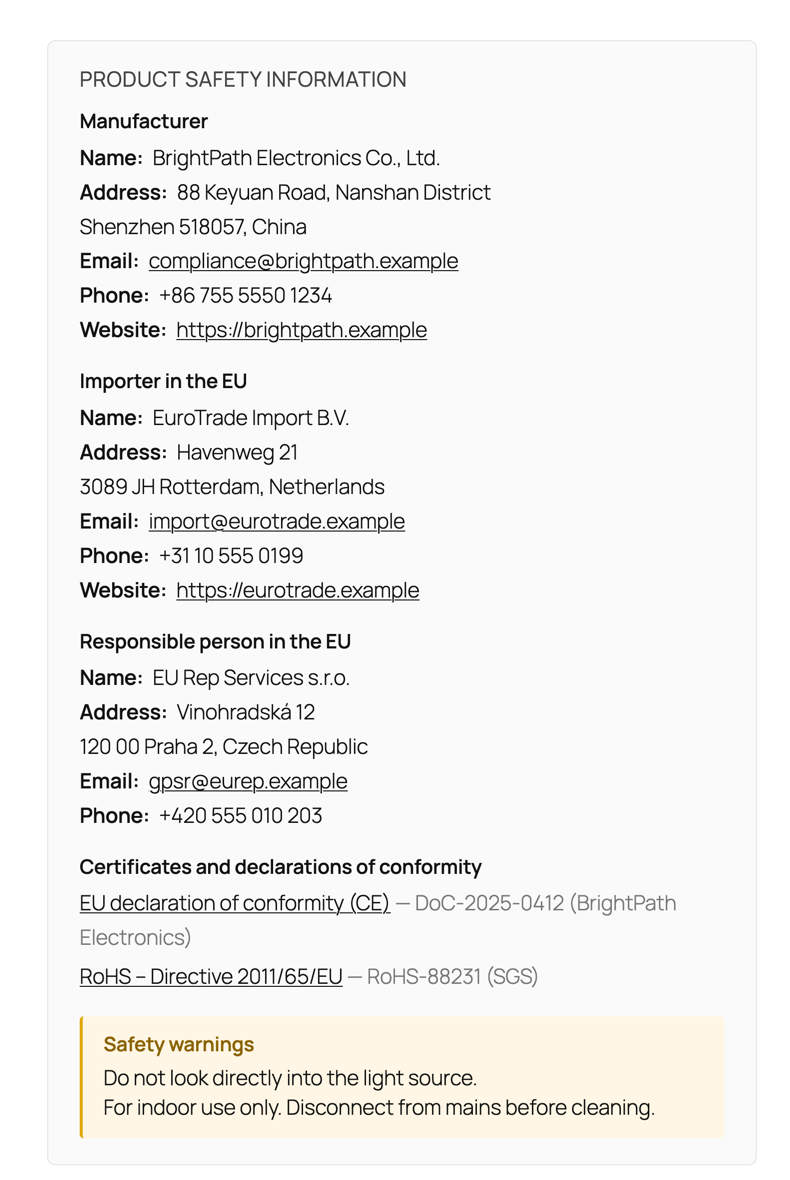
Manufacturer, importer, EU responsible person, safety warnings and certificates on every product page – as required by Regulation (EU) 2023/988. Free and without limits.
What it does
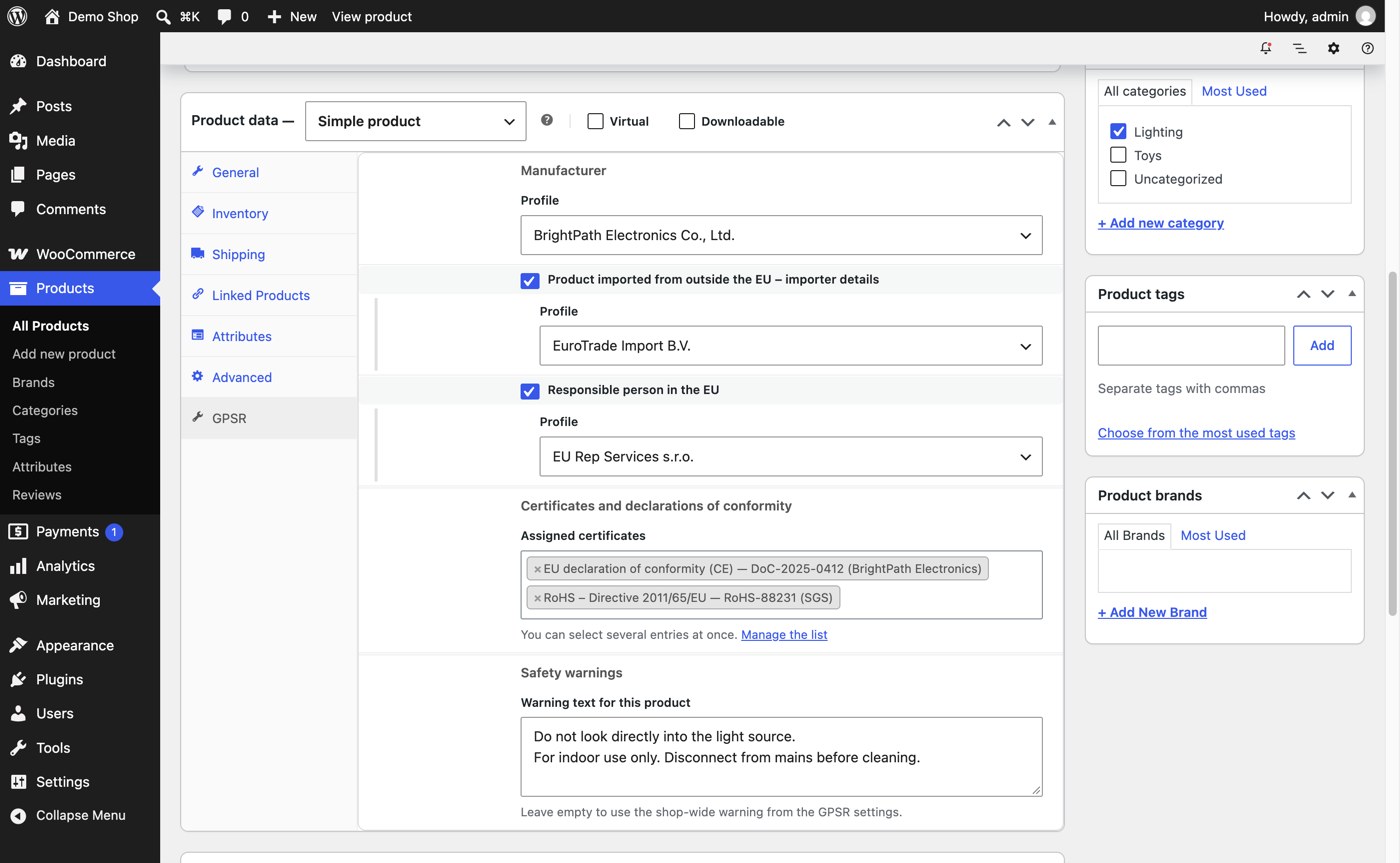
- Reusable profiles for manufacturers, importers and EU responsible persons – enter each company once.
- Shop-wide defaults that cover every product without its own assignment.
- Safety warnings per product or for the whole shop.
- Certificates and declarations of conformity (CE, RoHS, REACH and more), with links to PDF documents.
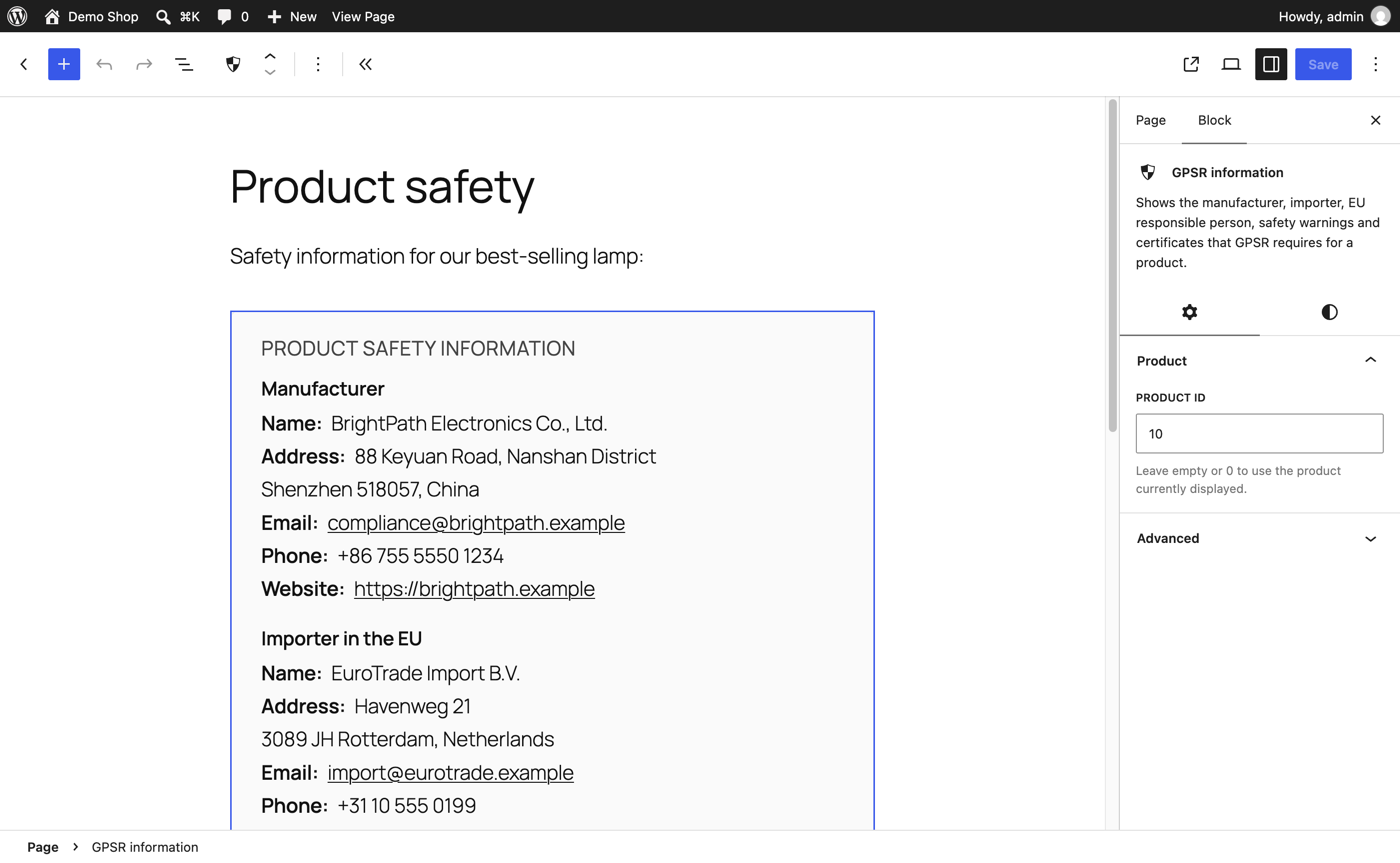
- Display anywhere: below the description, in a product tab, with the block, the Elementor widget or the shortcode. Works with block themes.
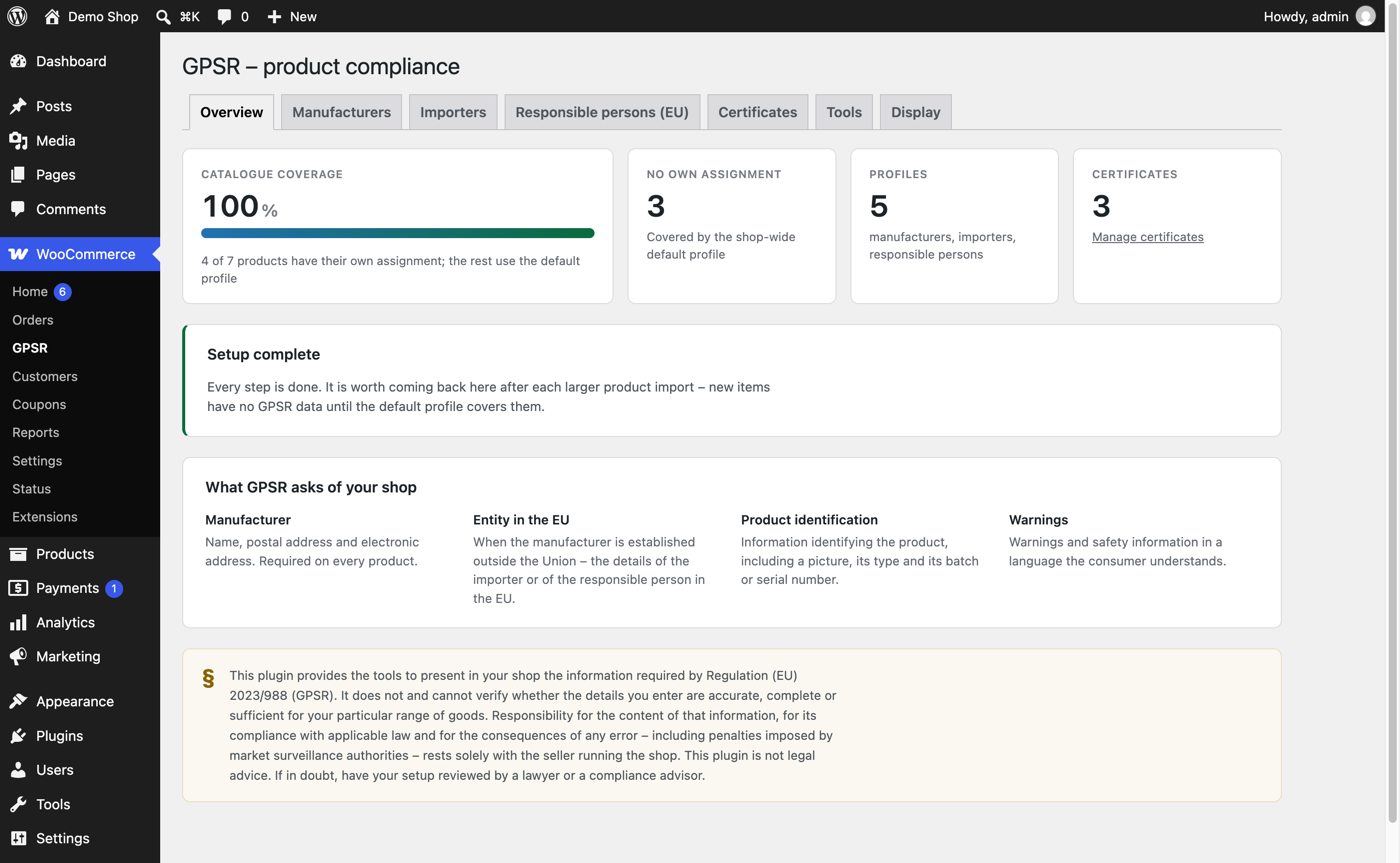
- Catalogue tools: compliance overview, GPSR column and filter in the product list, bulk assignment, CSV import and export.
- Schema.org structured data for the manufacturer (optional).
Screenshots
Quick start
- In your shop go to Plugins → Add New, search for “Primevo GPSR” and install it. WooCommerce must be active.
- Open WooCommerce → GPSR and add your manufacturer profile.
- Set it as the shop-wide default on the Display tab, assign it in bulk on the Tools tab, or pick it on a product’s GPSR tab.
- Open a product page – the information block is already there.
Frequently asked questions
Does the plugin make my shop legally compliant?
No plugin can do that. It displays the information you provide where customers expect it. Whether that information is correct and sufficient is for you – and, where needed, your legal adviser – to determine.
Is there a paid version or any limit?
No. Everything is included and free, with no limits on the number of profiles or products.
I use a block theme and see nothing.
The information is added after the “Product details” block of the single product template. If your template does not use that block, add the “GPSR information” block to the template in Appearance → Editor.
Does it work with Elementor?
Yes. Search for “GPSR information” in the Elementor widget panel and drop it into your single product template.
Does the plugin send any data anywhere?
No. It makes no external requests, sets no cookies and collects no statistics.
Support
Please ask in the support forum on WordPress.org. If you like the plugin, a review helps other shops find it.